 Bobbin
The 60-second structure
- Context (5 s): "On the billing page, logged in as an admin…"
- Steps (30 s): do them slowly and say each one out loud.
- The bug (10 s): stop on it. "I expected X, I got Y."
- Evidence (15 s): console error, network request or a second attempt that shows it's repeatable.
Before you hit record
- Reproduce it once without recording. Write the steps down. If you can't reproduce it, record the next time it happens and say so in the ticket.
- Reset to a known start. Fresh page load, the same test account, the same data.
- Hide private stuff. Close unrelated tabs, turn on Do Not Disturb, and use test data rather than real customer records.
- Open DevTools if it helps. Dock it to the bottom so the page stays visible, with the Console or Network tab ready.
Recording it with Bobbin
- Click the Bobbin icon → Record screen, window or tab.
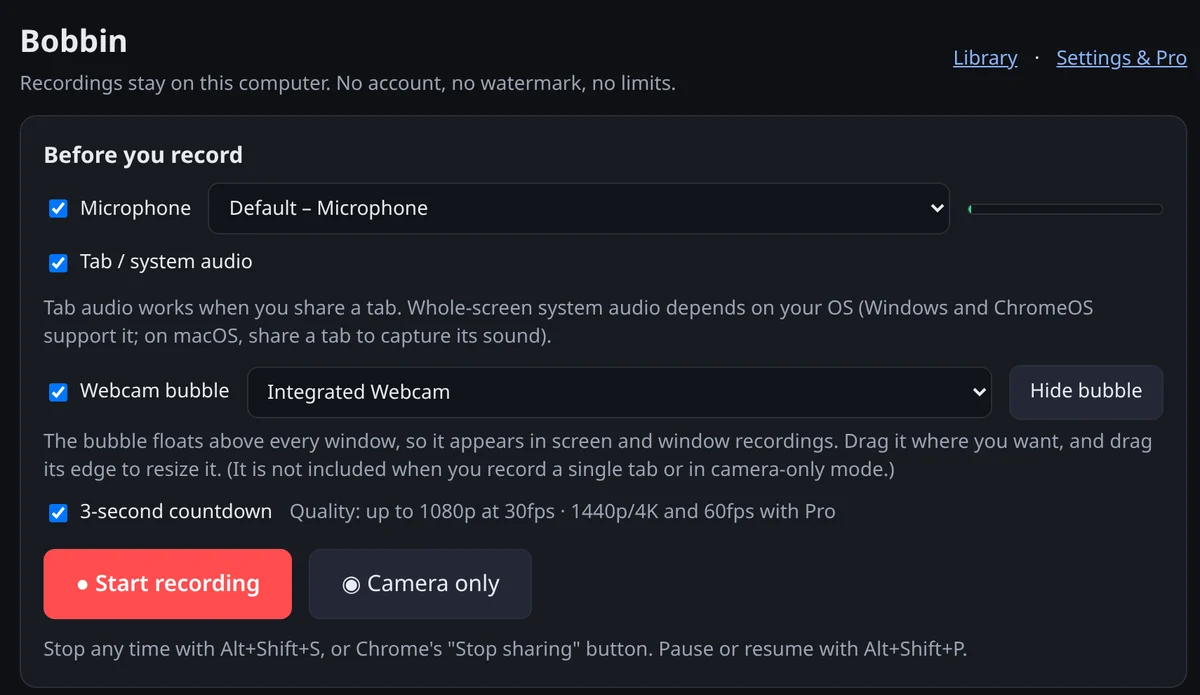
- Tick Microphone so you can narrate. Turn the webcam bubble off: nobody needs your face on a bug report.
- Press Start recording and choose the Chrome tab with the bug. A tab recording shows only that page, so notifications, other tabs and your desktop stay out of it. (For a desktop app, choose Window.)
- Run the steps. If you fumble, press Discard and start again; there's no limit on takes.
- Stop with Alt+Shift+S and press Download. You now have an MP4 to attach.
Why a file instead of a link? Links to third-party video hosts expire, need logins, or leak internal screens outside your company. A file attached to the ticket stays with the ticket, under the same access rules.
What to say while recording
- Name each action: "Clicking Save… now opening the invoice."
- State the expectation before the bug happens: "This should show the paid status."
- Point out the moment: "There: it still says Unpaid."
- Keep it to one bug per video. Two bugs, two videos, two tickets.
Ticket template (copy and paste)
**Summary:** [What's wrong, in one line]
**Video:** attached (bug at 0:40)
**Steps to reproduce**
1. Go to …
2. Click …
3. …
**Expected:** …
**Actual:** …
**Environment:** [Browser + version, OS, account/role, URL, time it happened (with time zone)]
**Frequency:** Every time / Sometimes (3 out of 5) / Once
**Console/network errors:** [paste the text, not just a screenshot]
Always paste error messages as text too. Text is searchable; video isn't.
Keeping the file small enough to attach
- Short is small: mostly static screen recordings came to about 4 MB per minute in our test. A 60-second bug video attaches almost anywhere.
- Record the tab, not a 4K screen. Fewer pixels, smaller file.
- Check your tracker's attachment limit. If the file is too big, upload it to your team's shared drive and link it in the ticket.