 Bobbin
The short version
- Bobbin has a camera-only mode: it records your webcam and microphone, with a live preview, and saves an MP4 (where your browser supports it) on your computer.
- No account, no upload, no watermark, no time limit.
- Good light in front of you and a headset mic make the biggest difference.
Steps
- Install Bobbin in Chrome, Edge or Brave.
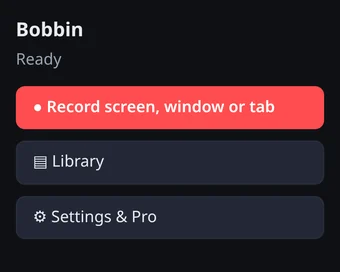
- Click the Bobbin icon and choose Record screen, window or tab to open the recorder.
- Choose your camera and microphone. The first time, Chrome asks permission to use them; choose Allow.
- Press Camera only. You'll see a live preview while you record, and a 3-second countdown gives you time to look at the lens.
- Stop with Alt+Shift+S. Not happy? Discard the take and record again.
- Open the Library and download the file.
Look and sound better
- Light in front of you, not behind. A window you face is ideal.
- Camera at eye level. Put the laptop on a few books.
- Look at the lens, not your own face in the preview.
- Use a headset or external mic if you can. Chrome's built-in echo cancellation and noise suppression help, but distance from the mic matters most.
- Quiet room, soft surfaces. Curtains and a rug cut echo.
Other ways to record your webcam
| Tool | Saves a file | Account | Notes |
|---|---|---|---|
| Bobbin camera-only mode | MP4 (WebM on older Chrome) | None | Works the same on Windows, Mac, Linux and ChromeOS |
| Chromebook Camera app | Yes | None | Built into ChromeOS, has a video mode |
| Windows Camera app | Yes | None | Built into Windows |
| macOS Photo Booth or QuickTime | Yes | None | Built into macOS |
Need your screen and face together instead? See Record your screen and webcam in Chrome.
Camera or mic not working?
- Check the camera icon in Chrome's address bar and set the camera and microphone to Allow.
- Close other apps using the camera (Zoom, Teams, Meet) and try again.
- On macOS, allow Chrome under System Settings → Privacy & Security → Camera and Microphone.
- On Windows, allow camera and microphone access for desktop apps in Settings → Privacy & security.