 Bobbin
Quick answer
Record the bug, download the MP4, open the Jira work item and drag the file onto it (or use Add → Attachment). Jira Cloud accepts files up to 1 GB by default (admins can raise it to 2 GB) and lists MP4, MOV and WebM as supported video types. On Jira's Free plan, all attachments share 2 GB of storage per app. Bobbin has no Jira integration: it saves a file and you attach it.
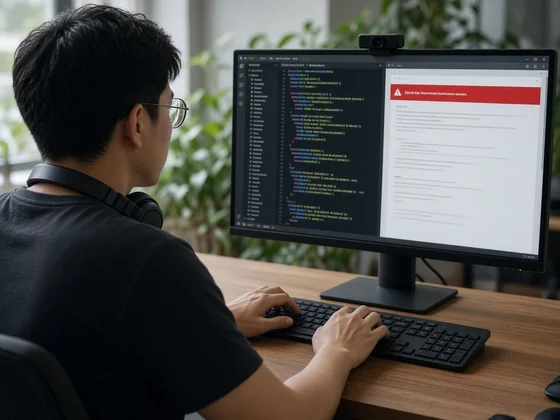
1. Record the bug
Keep it short: one reproduction, start to finish, ideally under a minute. Say what you expected and what happened.
- Click the Bobbin icon in Chrome's toolbar and choose Start recording.
- Tick Microphone if you want to narrate. Tick Webcam if you want your face in the corner (the bubble is drawn into tab, window and screen recordings).
- Press Start and pick what to share in Chrome's picker. After the 3-second countdown, show the problem. Pause with Alt+Shift+U; stop with Alt+Shift+S.
- Press Download. You get an MP4 where Chrome supports it (Chrome 126 or newer) and WebM otherwise.
Free: no account, no watermark, no time limit, up to 1080p at 30 fps, and nothing is uploaded. Every second is saved as you record, so a crash doesn't lose the take. For a script, see how to record a bug report video.
2. Attach it to the work item
- Open the Jira work item (issue).
- Drag the MP4 from your Downloads folder and drop it onto the work item.
- Or select Add under the summary, then Attachment, or scroll to the Attachments section and select Add attachment, then Upload a file.
These are the steps in Atlassian's help for Jira Cloud; button names can differ slightly between Jira versions and views.
3. Check the limits
| Jira Cloud | Limit | Roughly this much 1080p |
|---|---|---|
| Per file (default) | 1 GB | Over 3 hours |
| Per file (maximum an admin can set) | 2 GB | Over 7 hours |
| Free plan, total storage per app | 2 GB across all attachments | About 7 hours in total |
| Standard plan, total storage per app | 250 GB | Rarely a concern |
Durations are estimates from our own 1080p test files (about 4–4.5 MB a minute), rounded down. Jira admins can change the per-file limit for your site, so if an upload fails, ask them what it is. On the Free plan, short clips leave room for everyone else's screenshots.
4. Write the text next to it
The video shows the bug; the text makes it searchable and gives the steps to whoever can't watch with sound. In the description, add:
- Steps to reproduce, numbered.
- Expected vs actual, one line each.
- Where in the video the bug happens ("at 0:18 the Save button stays grey").
- Environment: browser and version, OS, account or test data used.
Copy-paste version: the free Jira bug template. Developers will often also want the console output: see how to save console logs and a HAR file in Chrome, and redact tokens before attaching.
Before you attach
- Close tabs, notifications and windows that show customer data, passwords or private chat before you record.
- Anyone who can see the work item can usually download the attachment, so treat it like any other file you share.
- Because Bobbin keeps recordings on your computer, delete ones you don't need from its Library when you're done.
From The Bug Report & QA Kit
Need the full bug-report set? The full kit: 10 bug templates for GitHub, Jira, Linear and Markdown, 9 release checklists (126 checks), the severity guide, 8 bug-video scripts and trackers.
See the QA kit ($15, one-time) PDF + ZIP · 7-day refund · more free samples on the page
Checked on 31 October 2026 from their own pages: Atlassian Support: Add an attachment to a work item (Jira Cloud) · Atlassian Support: Configure file attachments. Limits and plans change; check the linked page before you rely on it.